
In Q4, the Onfleet team made updates to improve visibility across operations, give couriers more control, and enhance order accuracy from checkout to dropoff.
Check out what’s new below!
Shippers & Couriers:
- Deeper Analytics: Drill Down for Actionable Insights
- Command Center: Live Map View for Real‑Time Oversight
- Shopify: Set Product‑Specific Prep Times
Courier Suite:
More Flexible, Transparent Client Invoicing
- Custom Cost Adjustments: Easily Add Any Billable Charge You Need
- Invoicing Cadences: New Daily and Bi‑Weekly Options
Simpler, More Accurate Order Creation Tools
- Improved Location Accuracy: Map View and Lat/Lon Controls
- Round Trip Orders: Streamlined Creation with Built-In Returns
Shippers & Couriers:
Deeper Analytics: Drill Down for Actionable Insights
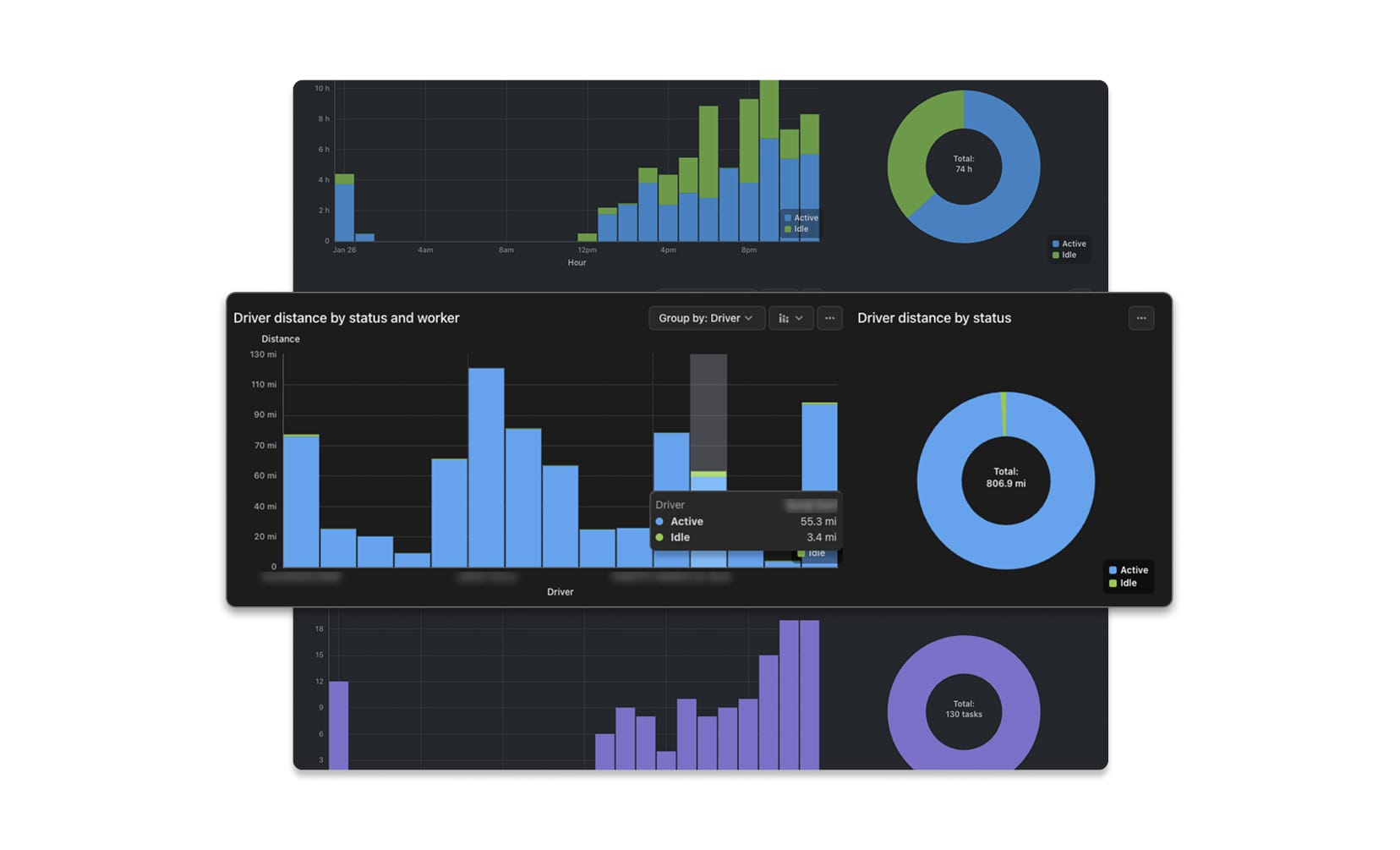
Our new Analytics dashboard continues to evolve so you can quickly move from high-level performance metrics to specific teams and drivers, with data you can act on.
What’s new:
- Group metrics by teams or drivers to see which parts of your operation are driving or dragging performance.
- Click any graph title to drill into the underlying data, so you can pinpoint specific drivers or details without exporting.
Availability: Included in all subscriptions.
NOTICE: Analyze (Classic) will be retired in the coming months. Start using the new Analyze Dashboard today to ensure uninterrupted reporting.
Command Center: Live Map View for Real‑Time Oversight
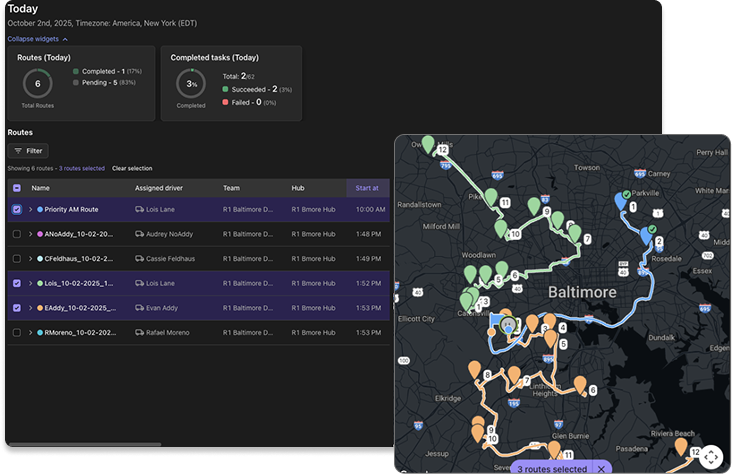
The new Map view in Command Center gives dispatchers and admins real-time visibility into how routes are unfolding, so they can proactively keep deliveries on track.
What’s new:
- A slide-out map directly in the Command Center, so you don’t have to switch between screens.
- Unique colors per driver and turn-by-turn paths make it easy to see who is where and what’s next.
How it works:
- Click the Map button in the top right.
- Select one or more routes from the route list to load them onto the map.
Availability: Included in Scale and Enterprise subscriptions with Route Plans enabled.
Learn more →
Shopify: Set Product‑Specific Prep Times
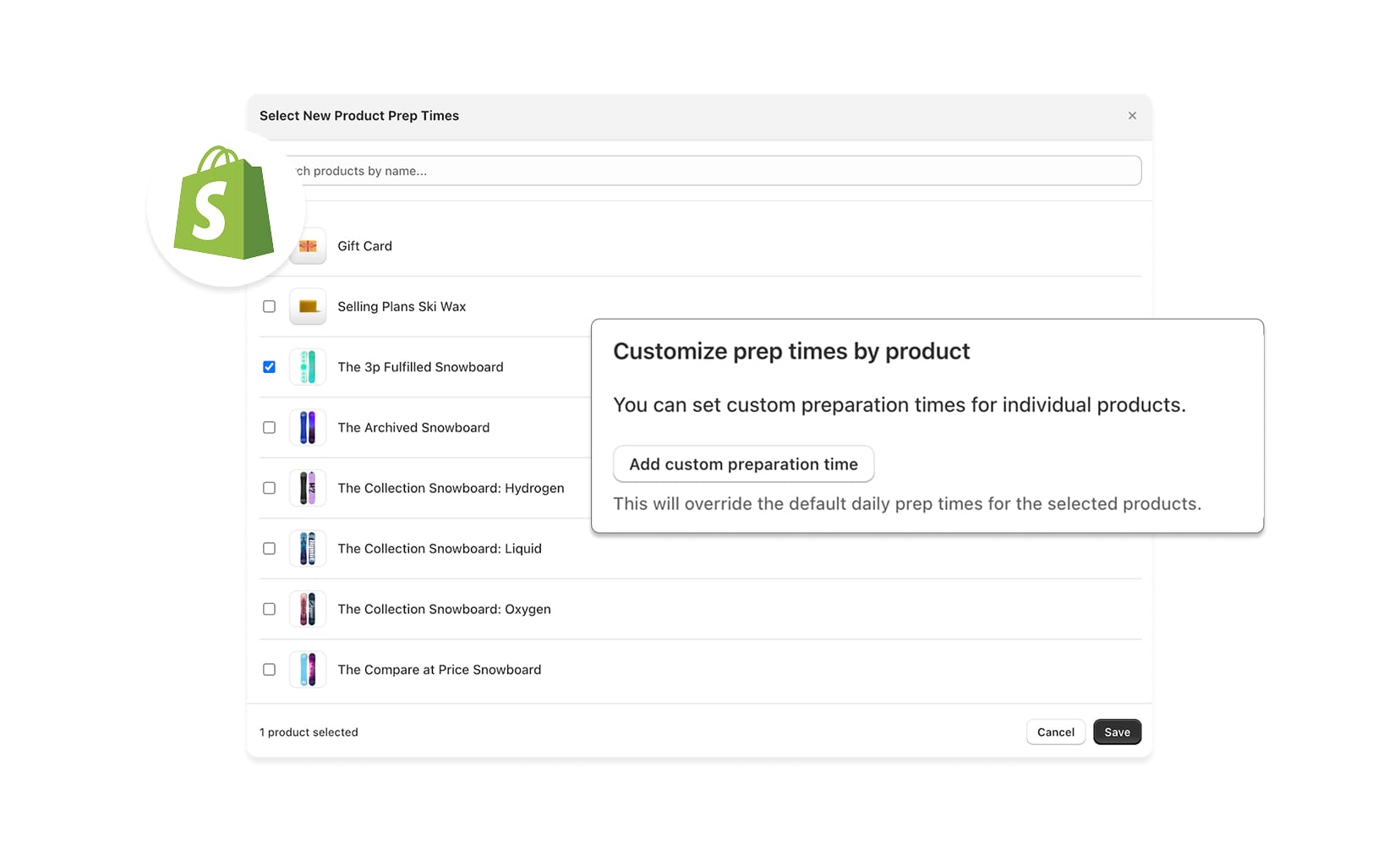
For merchants using Shopify with Onfleet, new product-specific prep times help ensure customers only see delivery slots your team can actually fulfill.
What’s new:
- Set unique prep times per product at each location (e.g., 2 hours for a large bouquet of flowers, 1 hour for a smaller one).
- At checkout, Onfleet automatically uses the longest prep time in the cart to calculate available delivery days and time slots.
Delivery slots shown to customers now reflect your actual production workflows, reducing missed windows and last-minute scrambling.
Availability: Included in all subscriptions, for customers with an integrated Shopify account.
What's New in Onfleet's Courier Suite
More Flexible, Transparent Client Invoicing
Custom Cost Adjustments: Easily Add Any Billable Charge You Need
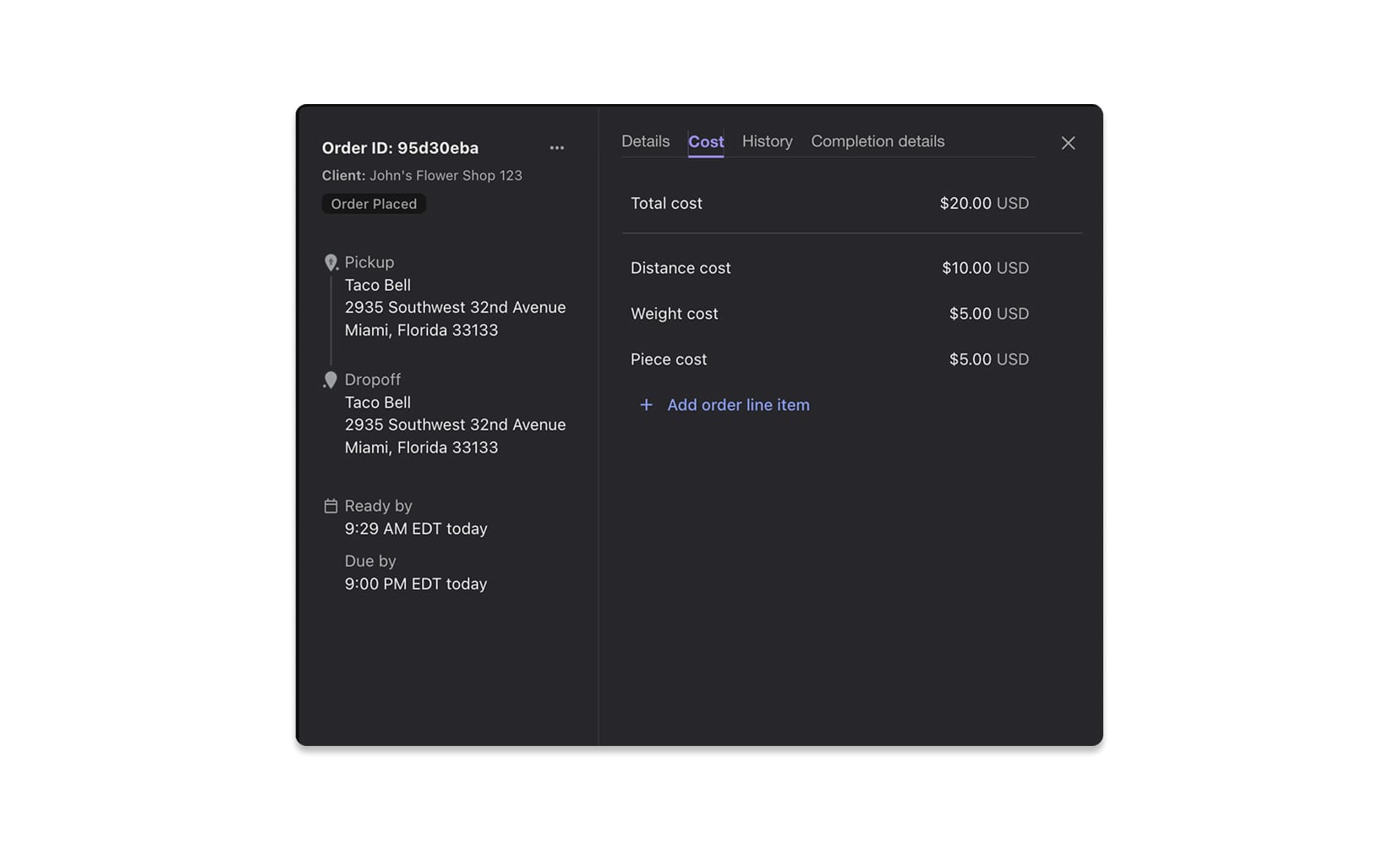
Enhanced cost controls give couriers the flexibility to add real-world charges accurately, while giving clients a clear breakdown of every invoice.
What’s new:
- Add custom line items (e.g., wait time, tolls, special handling) directly in the order modal.
- View a history of cost changes, including who made each update, for better auditability.
- Show detailed line item costs on orders and invoices to improve client transparency.
- New dispatcher permissions let you control who can view and edit cost information.
Together, these updates give couriers more precise control over revenue, reduce billing disputes, and keep sensitive cost information in the right hands.
Learn more →
Invoicing Cadence: New Daily and Bi-Weekly Options
Couriers can now align invoicing schedules with their business model and cash flow needs, instead of working around rigid billing cycles.
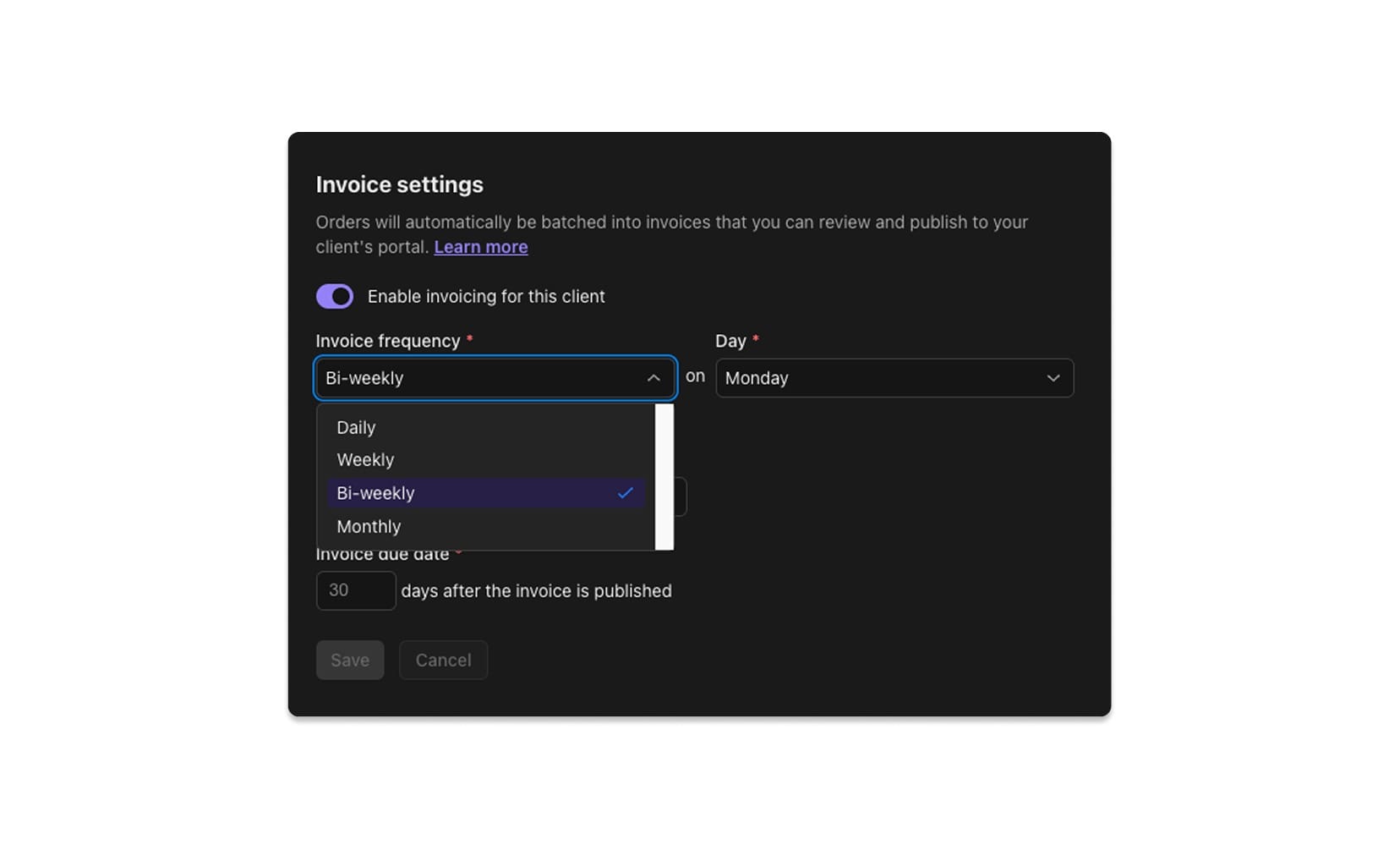
What’s new:
- Daily and bi-weekly cadences are now available, in addition to weekly and monthly options, offering increased flexibility.
How it works:
- In Invoice Settings, you can:
- Choose the frequency (daily, bi‑weekly, weekly, monthly).
- Set the day the invoicing cycle should run.
- Define the starting cycle so periods align with your client agreements.
These options help align billing with contracts and customer expectations, reducing manual adjustments and smoothing revenue recognition.
Learn more →
Simpler, More Accurate Order Creation Tools
Improved Location Accuracy: Map View and Lat/Lon Controls
New map-based tools make pickups and dropoffs easier to place, even when addresses are incomplete or hard to find. Couriers and clients can now visually confirm locations, adjust delivery points with precision, and rely on latitude and longitude when needed.
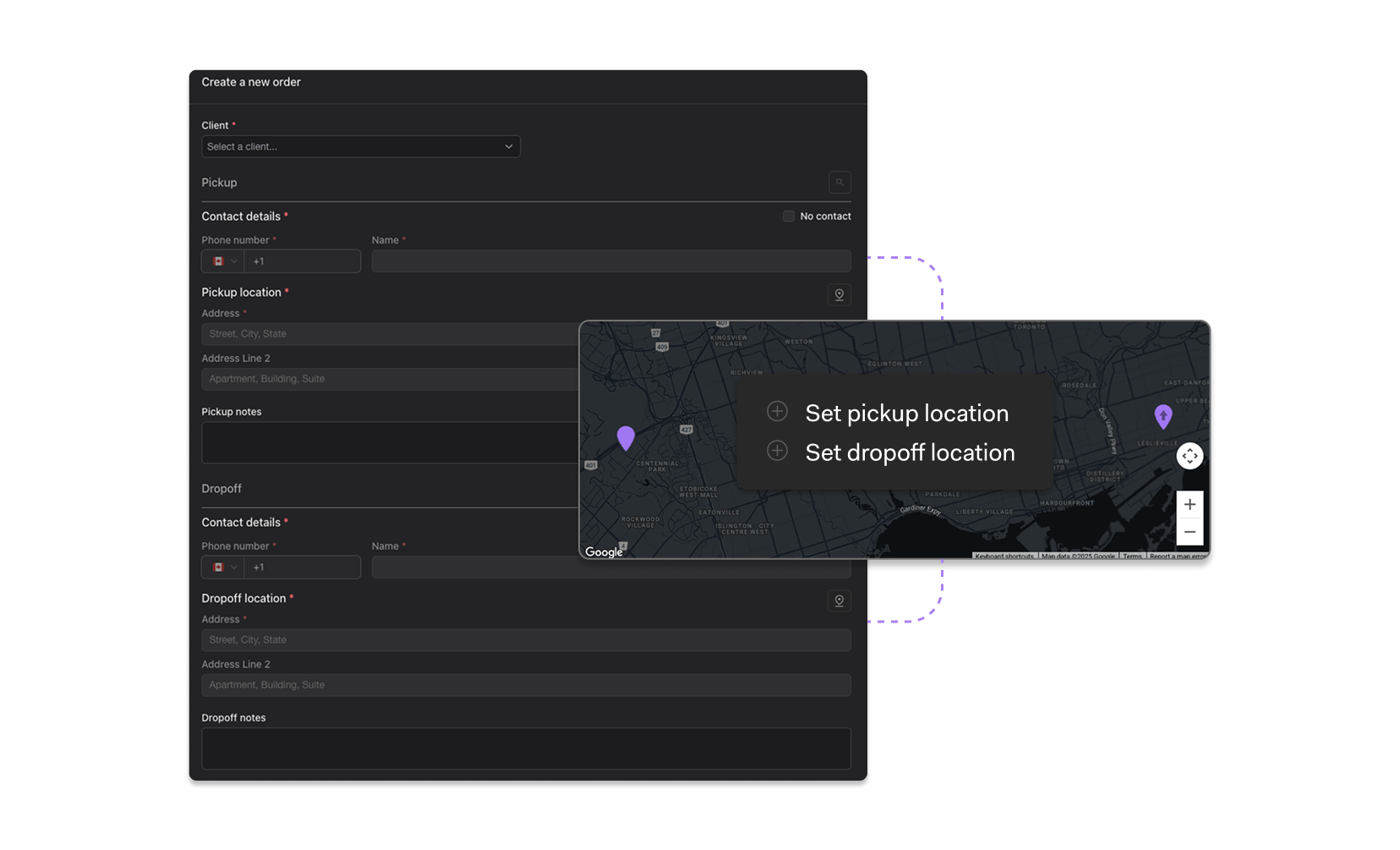
What’s new:
- Map view embedded directly in the order form for quick visual validation.
- Drop a map pin to set pickup or dropoff locations instantly.
- Drag the pin to fine-tune placement around large buildings or job sites.
- Set locations using latitude and longitude, including support for bulk CSV uploads.
This reduces failed or delayed deliveries caused by ambiguous addresses and helps drivers get to the right spot the first time.
Round Trip Orders: Streamlined Creation with Built-In Returns
Built-in round trip order functionality makes it easy to create orders where items must be returned to their original pickup location, all at once, without needing to manually create and link both tasks.
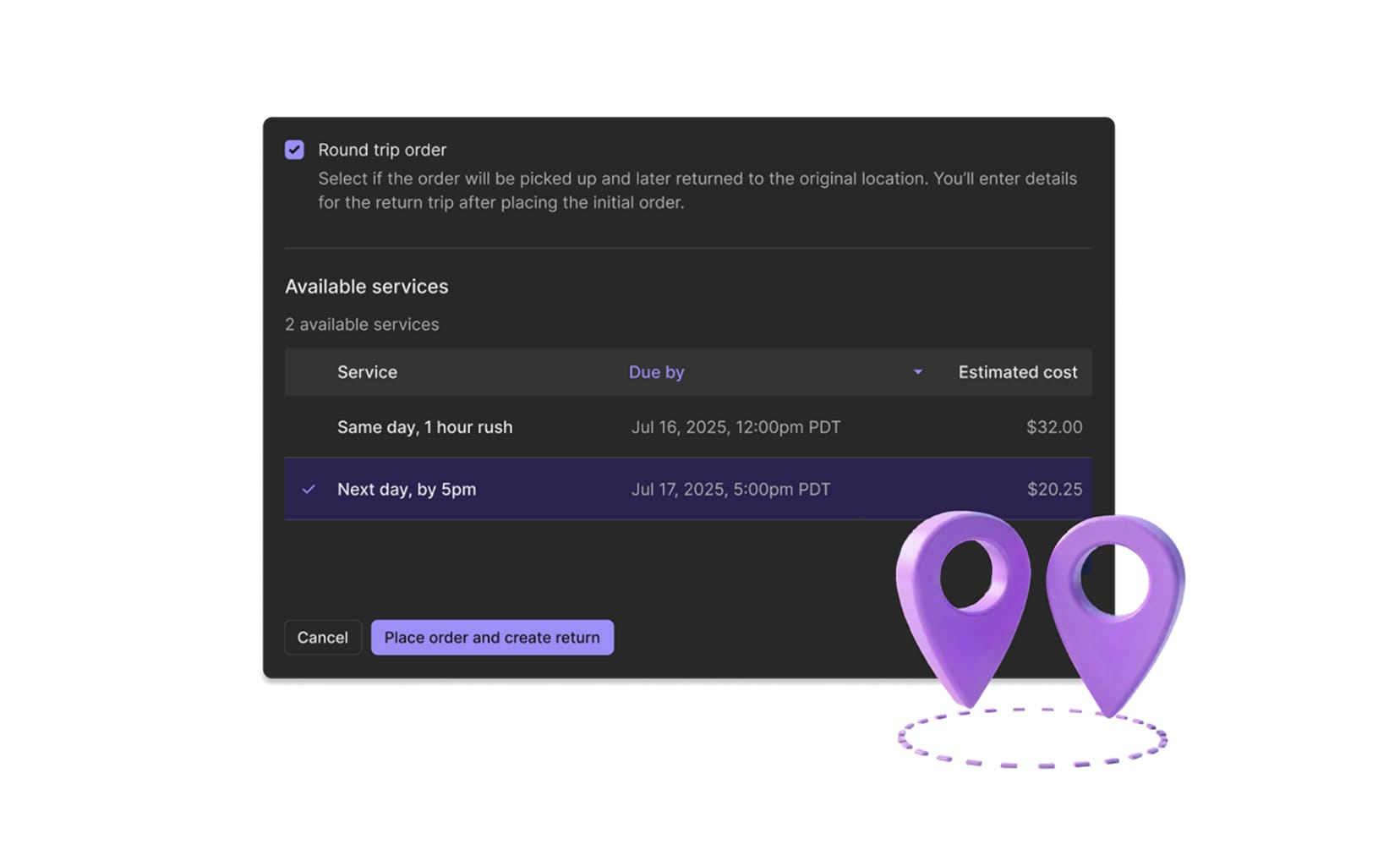
What’s new:
- Check the Round Trip Order box when creating an order to auto-generate a return task with reversed pickup and dropoff addresses.
- Outbound and return tasks are automatically linked for better tracking and billing.
This reduces admin overhead and the risk of missed return legs.
Learn more →
Looking ahead
These Q4 2025 updates are designed to make your operations more predictable, transparent, and efficient, from the analytics you rely on, and the maps your dispatchers monitor, to the invoices you send and the exact locations your drivers visit.
If you’d like help enabling any of these capabilities or want to share feedback, reach out to Support or your Onfleet representative. We’re here to help you get the most value from these releases.